
Part of the Contractors industry →
Contractor Operating System
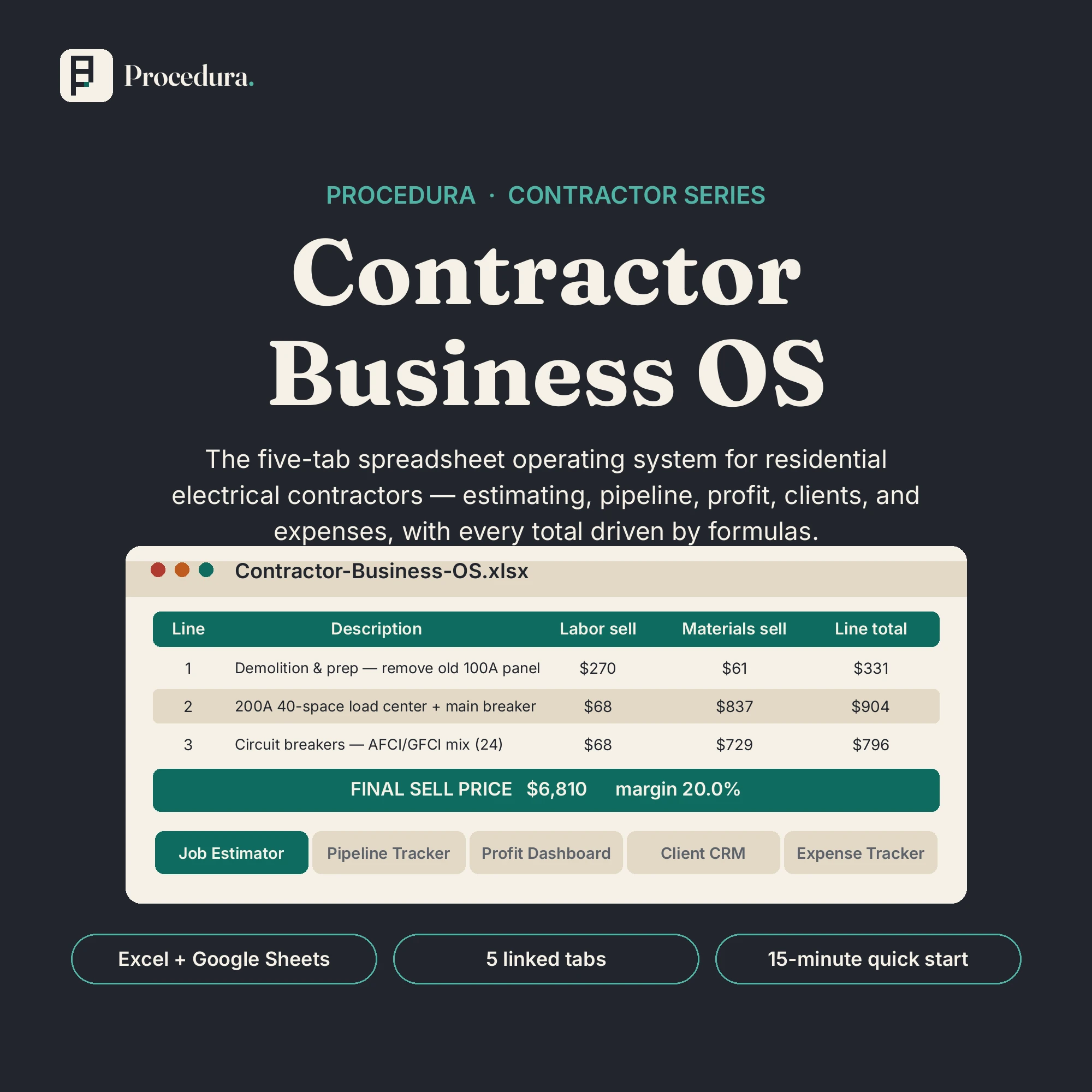
The Electrical Edition: built for residential electrical contractors. Estimate, track, and profit on every job in one workbook that runs the business side of your practice.
Digital download: a ZIP with the .xlsx workbook and the quick-start PDF. Buy direct and the download link arrives by email right after checkout. Also available on Etsy if you prefer to shop there.
See it in action

Where this fits
Level 2 of 3: Run the operation
Connected operating systems for the work that repeats every week: estimating, pipeline, bookings, deadlines, follow-up. Tabs share data and formulas carry the numbers from estimate to invoice to dashboard. Enter it once and stop retyping the same figures into five different sheets.
Shown for the Contractors stack. The levels are the same in every industry.
Fix individual tasks
$12 to $19
Run the operation
$49 to $119
What comes next: You are at Level 2 (Run the operation). Next is Level 3 (Put AI to work): Contractor Front Desk Agent: $149
Beyond the levels: Own the whole stack — Every level for your industry, one purchase, about 25% off. In development now; we bundle the stack once the levels beneath it are real.
What’s included
Everything in the file set.
- Job EstimatorSet your labor rate, materials markup, permits, overhead, and target margin once. Every line updates from there. Sell price and margin check are formulas, not guesses.
- Pipeline TrackerEvery lead and job in one list with stage dropdowns, automatic win probability and weighted forecast, overdue follow-up highlighting, and a forecast summary block.
- Invoice & Profit DashboardPer-job revenue, costs, gross profit, and margin percent. Jobs under 15% margin flag red. Monthly rollup plus a gross-profit-by-month bar chart.
- Client CRMOne row per client with automatic job count and total billed, last-contact and follow-up dates with overdue highlighting, and notes for winning repeat business.
- Expense TrackerCategorized expense log with automatic monthly totals by category. Hand them straight to your accountant at tax time.
- Quick-start guide (PDF)The 15-minute setup, step by step, with realistic sample data already in the workbook so you can see exactly how each tab should look.
The make-it-right promise. If a file does not open, a formula does not calculate, or a pack is not what this page describes, write to us within 14 days of purchase. We fix it, replace it, or refund it.
Who it’s for
Built for a specific desk.
- Residential electrical contractors running 1 to 15 people
- Owner-operators estimating jobs between site visits
- Shops that want one consistent estimating method instead of gut feel
Requirements
| You need | Microsoft Excel (desktop or web) or a free Google Sheets account |
|---|---|
| No add-ons, no subscriptions, no special software | |
| Sample data is fictional. Overwrite it with your own; the formulas work the same way |
A note from Procedura. Researched, structured, and checked against real contractor workflows. Nothing here claims to be built by a veteran electrician, because it was not. A system’s worth is in its math and its procedures, which you can check for yourself.
Questions
Asked before you asked.
Still unsure? Write to [email protected]. We answer setup questions about every product.
Elsewhere in the stack. Never miss a lead: the Contractor Front Desk Agent ($149) texts back missed calls, takes after-hours intake, and follows up stale estimates.
No. It is a digital download: a ZIP with the Excel workbook and a PDF quick-start guide. Nothing will be mailed.
Under the make-it-right promise: if something does not work as this page describes, write to us within 14 days and we will fix it, replace it, or refund it.
Both. Open the .xlsx directly in Excel, or use File > Import in Google Sheets. Dropdowns, formulas, conditional formatting, and the profit chart carry over. Spot-check totals after import.
Yes. It is your file: edit the labor rate, markup, overhead, and margin settings, rename pipeline stages, adjust win probabilities to match your history, and add columns or rows. The guide explains which cells are settings and which are formulas.
If you can type into a cell and pick from a dropdown, you can run this. The quick-start guide walks the 15-minute setup step by step, and the sample data shows you exactly what each tab should look like.
No. It tracks job costs, revenue, profit, and expenses: the numbers your accountant wants at tax time. It is not accounting software and not tax advice.

The launch notes
Occasional, plain-spoken email.
New products, new playbooks, and practical notes on running a service business. No spam, no funnels, no daily drip. Unsubscribe anytime.